Mapping without groups
See https://akeneo.helpjuice.com/admin/questions/2837086-mapping-config for the main article about mapping
Mapping using groups information
By default, mapping takes groups into account. This is controlled by the parameter “dont_use_groups”: false in the mapping parameters.
As a result if a field exists for several groups, all corresponding to some products in the input file, the field will appear several times on the interface and the user will need to map once for each version.
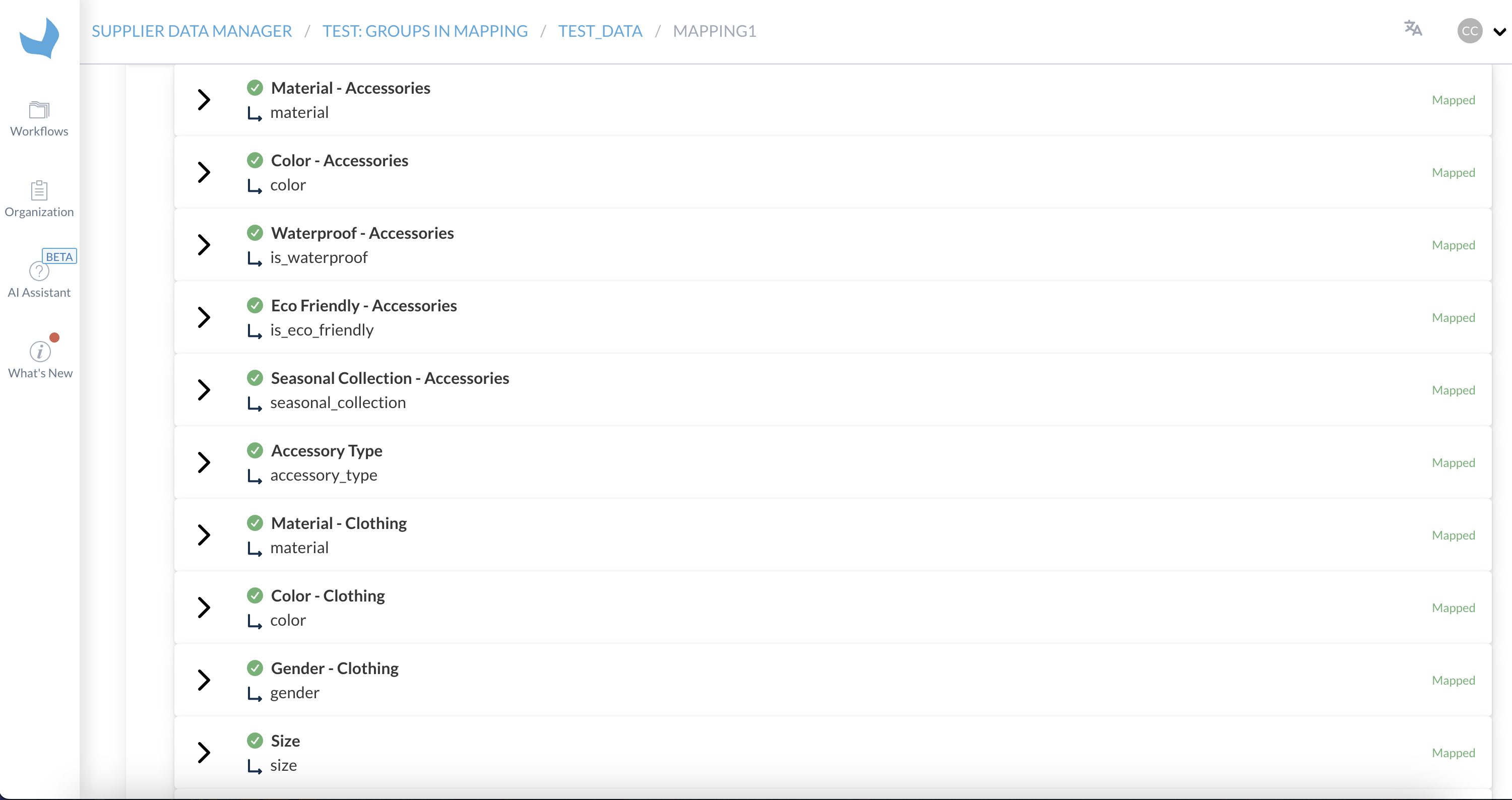
Notice for example above, how Material, Color are repeated for Accessories and Clothing groups. This will happen as long as the input file contains both products tagged as 'Accessories' and 'Clothing'.
For SDM workflows pushing to an Akeneo PIM, groups are in a one-to-one relation with families. It is very common in such cases to have an attribute belonging to many families at once. Because of this, this would create many duplicates to process by our users which is undesirable.
As a workaround, we have introduced groups main_attributes and other_attributes which are only used for mapping and valuemapping steps. Each field has a version belonging to one of these two groups, and only this version is included in mapping/valuemapping.
The consequence however, is that for example for an Akeneo PIM we lose any information related to the family, making it impossible to only show attributes corresponding to the current products' families.
Mapping without groups information
This mode can be activated by setting the parameter “dont_use_groups”: true in the mapping parameters. As a result, each field will only appear once on the interface, regardless of the number of groups to which this field belongs.
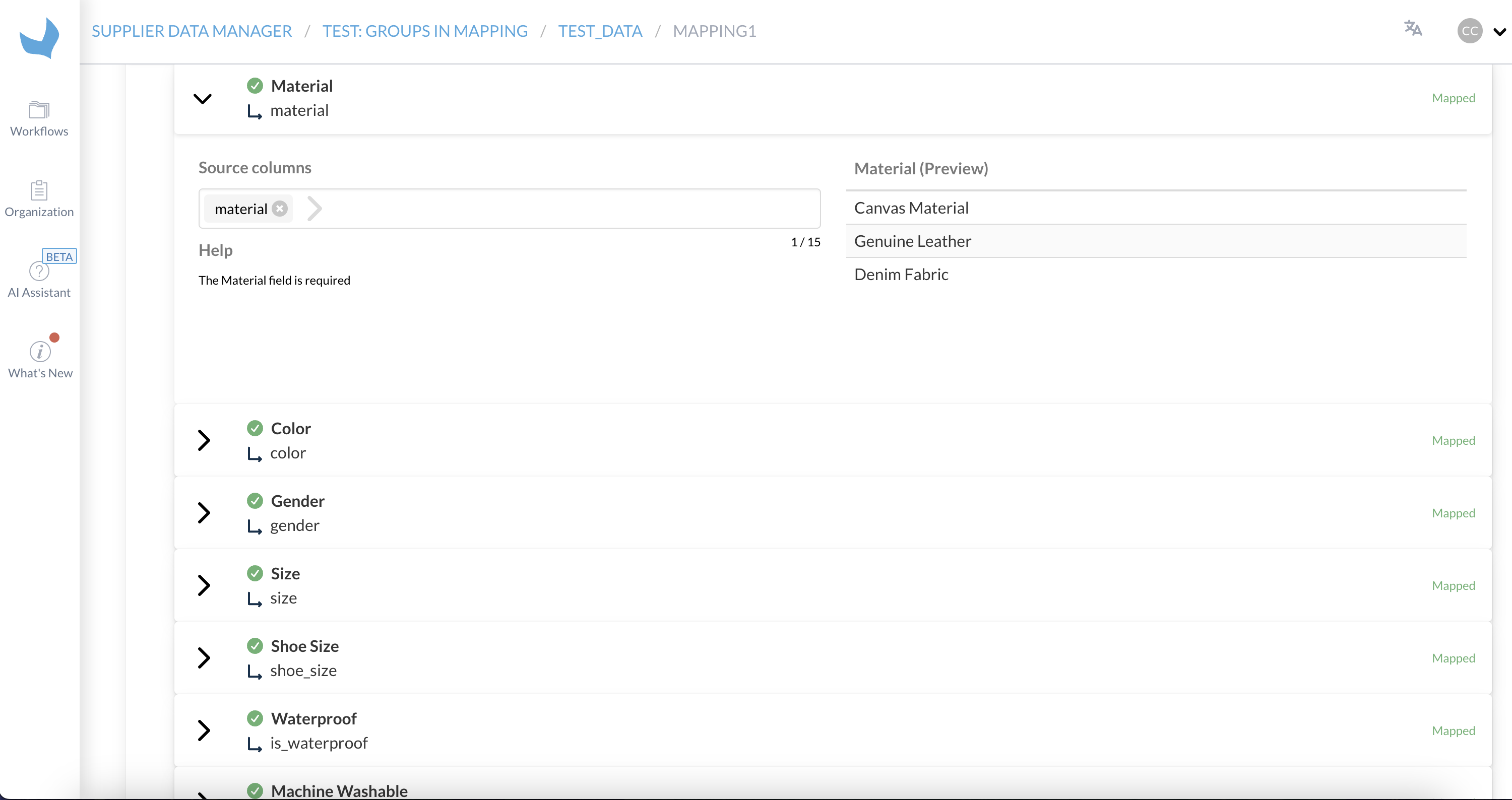
Notice in this example, taken in the exact same situation as the above one, apart from the fact the configuration flag “dont_use_groups” is set to true. The fields Material and Color only appear once, irrespective of the number of diffrent groups appearing in the input file, for which these fields exist.
Mapping a field (such as Material in the example) will apply to all products for which this field is active, irrespective of the group they belong to (be it Accessories or Clothing in the example above).
How to use to scope mapping depending on families
The new “dont_use_groups”: true option allows to configure a workflow without using main_attributes and other_attributes for the mapping step (it is still needed for the valuemapping step for now).
The beginning of the worfklow can now be:
Mapping → Family classification → Mapping → Category classification → …
The first mapping (before family classification) should be configured to only include the null group:
{
  "fields": [],
  "include_fields": [
    {
      "name": null,
      "groups": [
        null
      ]
    }
  ],
  "max_requirement_level": "required",
  "default_join_separator": " | "
}
The second mapping (after family classification) should be configured to exclude the null group (hence implicitly include all other groups), as well as main_attributes and other_attributes groups: